
Visit us at 3DExperience World 2023!

Hard to believe that its been three years since the SOLIDWORKS community gathered together in person. In that time, CADSharp has grown over four-fold, from five full-time contractors to over twenty. We’re more excited than ever to talk to SOLIDWORKS and SOLIDWORKS PDM customers about their automation needs. You can find us at booth 747. I’ll also be presenting on Monday at 11:15 AM on the topic, “Macros vs Addins vs Stand-Alones”, where I’ll be covering the pros and cons of each program type you can use with the SOLIDWORKS API.
See you in Nashville!
Keith
If you want to learn about upcoming learning opportunities, be sure to join our newsletter.
Download 3DXP21 Presentation
Thank you for attending my 3DExperience World 2021 presentation! You can download the presentation files here, including the PowerPoint, macro, and video:
How To Write A Powerful Macro From Scratch
Looking forward to seeing you next year in person!
Keith
World’s first PDM API Video Course Out Now!
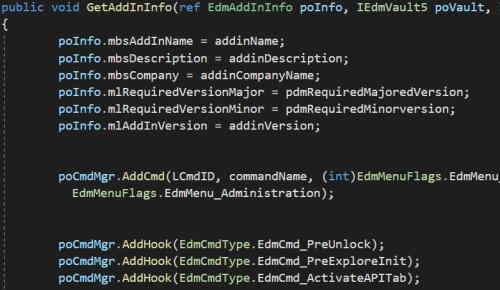
The world’s first ever SOLIDWORKS PDM API video course is now available to aspiring PDM developers everywhere via CADSharp.com. This five hour course will teach how to automate SOLIDWORKS PDM Professional using VB.NET. Lessons include:
- Types of PDM Apps
- PDM API Object Model
- Vault Object
- Working With Files and Folders
- Traversing the Vault
- Check-ins and Check-outs
- Working With Vault Variables
- Batch Processing Variables
- Exporting Bill of Materials
- Implementing IEdmAddIn5
- How To Debug A PDM Addin
- GetAddInInfo and OnCmd
- Implementing A Task Addin
- How To Debug A Task Addin
This course is available with all other CADSharp.com premium content as part of our three-month or yearly membership. This membership includes access to our Slack tech support channel, where you can get PDM API help from any of our talented PDM developers. If you’re tired of spending countless hours digging through the PDM API Help or searching on forums, our premium membership will pay itself off in no time. Hope to see you soon!